You’re spending hours every week writing captions, scheduling posts, and staring at analytics dashboards — and you’re wondering if AI social media tools can actually take some of that off your plate. Good news: some of them genuinely can. Bad news: most of the tools flooding the market right now are overpromising and underdelivering.
We’ve tested dozens of AI social media tools across content generation, scheduling, analytics, and automation. Some saved us real time. Others wasted it. This guide covers what actually works, what’s pure hype, and how to build a stack that doesn’t suck.
Key Takeaways
- AI content generators are solid for first drafts — but never publish raw output
- Scheduling tools save the most time; the AI features are a nice bonus, not a revolution
- AI analytics are mostly cosmetic right now — useful for data aggregation, weak on real insights
- Autonomous agents are powerful but still need human oversight
- The best approach: AI handles drafts and scheduling, humans handle editing and strategy
What categories of AI social media tools exist?
AI social media tools break down into five categories. Most tools nail one or two. Very few do all five well.
- Content generation — AI writes your captions, scripts, hashtags
- Image/video creation — AI generates visuals for posts
- Scheduling — AI picks the best time to post
- Analytics — AI analyzes performance and suggests improvements
- Autonomous agents — AI manages your entire social presence
Understanding which category you actually need saves you from paying for features you’ll never use. A solo creator managing one Instagram account has completely different needs than a marketing agency handling twenty client accounts across six platforms. Before you compare tools, be honest about which of these five categories matters most for your workflow right now.
Most teams start with content generation and scheduling, then expand into analytics and automation as they grow. That’s the natural progression, and it’s the one we’d recommend.
Can AI really write good social media content?
It can write decent content. That’s the honest answer.
AI content generators produce a solid first draft about 80% of the time. They’re good at hashtag suggestions, content calendar planning, and getting you past the blank-page problem. They’re bad at platform-specific formatting — AI tends to write the same way for X and Instagram, which is a problem.
The bigger issue is brand voice. Generic AI output sounds generic. If you paste the same prompt into ChatGPT, Jasper, and Copy.ai, you’ll get three variations of the same bland marketing copy. The tools that actually differentiate here are the ones that let you train on your existing content — Jasper’s brand voice feature and Copy.ai’s workflow templates are the best at this right now.
Top content generation tools:
- ChatGPT — Free. Best for general caption writing and brainstorming
- Jasper — $49/mo (as of May 2026). Best for training on your specific brand voice. See Jasper pricing
- Copy.ai — Free tier (2,000 words/mo). Strong for marketing copy. See Copy.ai pricing
- Buffer AI Assistant — Free (limited). Quick caption drafts inside your scheduling tool. See Buffer pricing
- Later AI — Free (limited). Solid for Instagram-specific captions. See Later pricing
What actually works: Caption drafts, hashtag research, content calendars.
What’s hype: “Viral” content guarantees, perfect brand voice replication, platform-native formatting.
Our take? Use AI for the first draft. Spend 5-10 minutes editing. Never publish raw AI output — your audience can tell.
Are AI-generated images and videos good enough to post?
For graphics and carousels — yes. For video — not yet.
AI image tools have gotten genuinely good at backgrounds, templates, and quick social graphics. Full AI video generation still looks obviously artificial. Product photography generated by AI looks fake. And maintaining consistent brand style across AI-generated visuals? Still a struggle.
The quality gap is closing fast, though. Canva’s AI image generation went from “obviously computer-made” to “actually usable for Instagram” in about eighteen months. Midjourney’s latest model produces images that are genuinely impressive for social posts — if you’re willing to spend time crafting the right prompt. For quick, branded graphics that look professional, Canva AI with your brand kit loaded is the most reliable option.
Where AI visuals still fall short is anything that needs to look real. Product shots, team photos, behind-the-scenes content — generated images in these categories still cross into uncanny valley territory. Your audience will notice. Stick to illustrated, abstract, or template-based visuals for AI-generated content.
Top image and video tools:
- Canva AI — Free. Best for quick graphics, carousels, and background removal. See Canva pricing
- Midjourney — $10/mo (as of May 2026). Highest quality AI images
- DALL-E — Free (limited). Fast image generation from text prompts
- Runway — $15/mo (as of May 2026). Leading AI video generation. See Runway pricing
- CapCut — Free. Video editing with solid AI features like auto-captions. See CapCut pricing
What actually works: Background removal (Canva AI nails this), template generation from text prompts, auto-generated video captions in CapCut.
What’s hype: Full AI video generation, AI product photography, consistent brand style.
Use Canva AI for your graphics. Use CapCut for video editing. Skip full AI video generation for now — it’s not ready for brands that care about quality.

Does AI scheduling actually save time?
Yes, but not for the reason you’d think.
The real time savings come from queue management and cross-platform posting. The AI “best time to post” features? They improve engagement by maybe 5-10% over manual scheduling. Nice, not life-changing.
Here’s where the real value lives: batching. You spend one afternoon creating a week of content, load it into a scheduling tool, and forget about it. The tool handles the rest — posting at the right times, adjusting for time zones, recycling evergreen content. That workflow change alone saves most creators 6-10 hours per week.
The cross-platform formatting is another underrated feature. Writing a LinkedIn post, an Instagram caption, and a tweet about the same topic requires three different writing styles. Tools like Buffer and Later automatically adapt your content to each platform’s conventions — character limits, hashtag placement, formatting. It’s not perfect, but it cuts the adaptation time in half.
Top scheduling tools:
- Buffer — Free tier (3 channels). Simple, clean scheduling. See Buffer pricing
- Later — Free tier (1 social set). Strong visual planning features. See Later pricing
- SocialSyncerAPI — 3-day free trial for first account, then $6/account/mo (as of May 2026). API-based scheduling for developers
- Hootsuite — $99/mo (as of May 2026). Enterprise team management. See Hootsuite pricing
- Sprout Social — $249/mo (as of May 2026). Large organization features. See Sprout Social pricing
- Zernio — Budget-friendly scheduling with multi-platform support
- Bundle Social — Bundled social media management for small teams
- Bolta AI — AI-first scheduling and content suggestions
What actually works: Best-time-to-post suggestions based on your audience data, queue management that fills your schedule automatically, one-click cross-platform posting.
What’s hype: “AI-optimized” scheduling that claims massive engagement lifts, predictive analytics that promise to tell you what will go viral.
Scheduling tools save you real time. The AI features are a bonus, not the main reason to use them.
Is AI analytics actually useful?
For aggregating data across platforms — yes. For actionable insights — mostly no.
Most “AI-powered” analytics tools are showing you basic charts with an AI label slapped on. The performance summaries and trend identification are genuinely helpful. But “predictive performance” and “AI-powered insights”? Those are marketing terms, not reality.
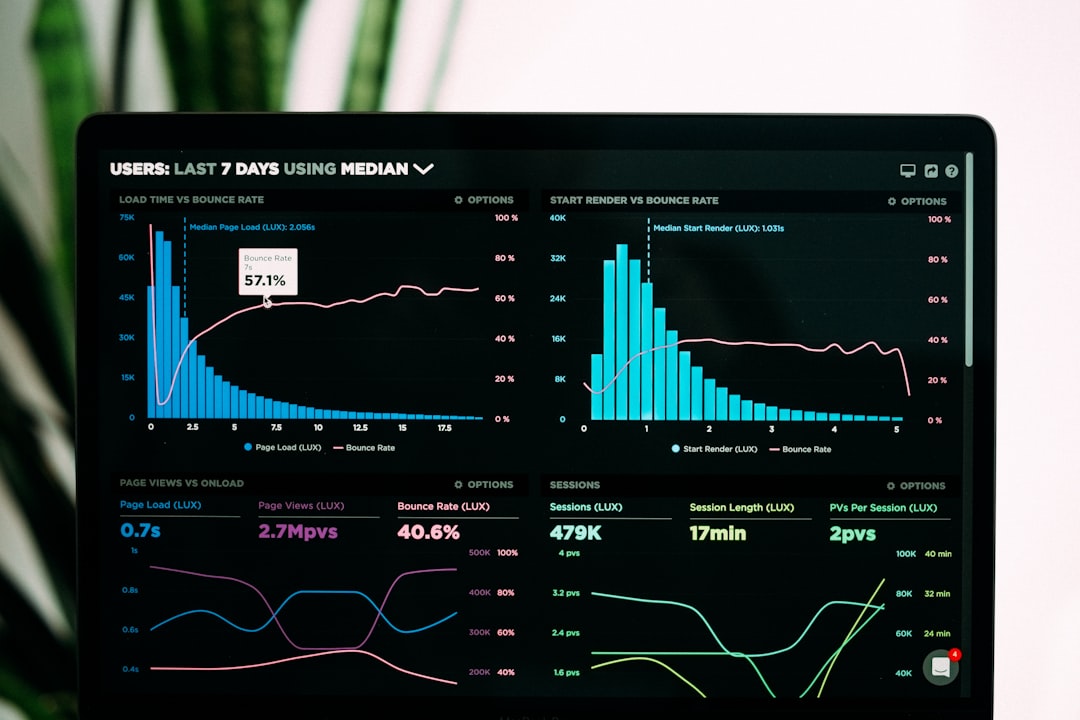
Where analytics tools genuinely help is in the aggregation layer. Instead of logging into Instagram Insights, Twitter Analytics, LinkedIn Analytics, and TikTok Analytics separately, you get one dashboard. You can compare performance across platforms, spot trends in your posting schedule, and generate reports for clients or stakeholders without manually pulling numbers from five different apps.
The “AI” part usually amounts to natural language summaries of your data. “Your engagement rate increased 12% this week, driven by carousel posts.” That’s useful — but it’s not the revolutionary insight engine these tools market themselves as. Treat analytics tools as data consolidators, not strategic advisors.
Top analytics tools:
- SocialSyncerAPI — 3-day free trial for first account, then $6/account/mo (as of May 2026). API-based analytics for developers
- Zernio — Affordable analytics and reporting
- Bundle Social — Built-in analytics for bundled social plans
- Bolta AI — AI-driven analytics and performance insights
- Socialbakers — Paid. Enterprise-grade analytics
- Brandwatch — $800/mo (as of May 2026). Social listening and sentiment analysis
- Sprout Social — $249/mo (as of May 2026). Team reporting and competitor tracking. See Sprout Social pricing
What actually works: Automated weekly/monthly performance reports, trend identification across content types, competitor performance monitoring.
What’s hype: “AI-powered insights” (usually just charts), predictive engagement models.
Analytics tools are worth it for data aggregation. Don’t expect them to tell you what to post next — that still requires human judgment.
Can AI agents manage social media on their own?
Technically, yes. Practically, you shouldn’t let them.
AI agents can generate content, schedule posts, respond to comments, and adjust strategy based on performance data. They’re impressive. They’re also capable of posting something that embarrasses your brand if nobody’s watching.
The real risk isn’t quality — it’s context. AI agents don’t understand current events, brand sensitivities, or the nuance of your audience. An agent might schedule a cheerful promotional post on a day when your industry is dealing with a crisis. It might reply to a customer complaint with a tone-deaf response. It might generate content that contradicts your brand’s position on a sensitive topic.
These aren’t hypothetical scenarios. They’re things that have happened to real brands using autonomous posting tools. The solution isn’t to avoid agents — it’s to build workflows where the agent drafts, schedules, and analyzes, but a human approves before anything goes live.
Top agent and automation tools:
- Hermes — AI agent framework for building custom social media agents
- n8n — Workflow automation for automated posting pipelines
- Make — Multi-step social media workflows
- Zapier — Simple automation triggers
What actually works: Content pipelines where the agent generates, schedules, publishes, and analyzes. Real-time comment monitoring. Multi-platform management from a single workflow.
What’s hype: “Set and forget” autonomy, perfect AI-generated content without review, full autonomy with zero human involvement.
Autonomous agents are the future — we genuinely believe that. But they’re not ready for unsupervised use. Use them for drafts, scheduling, and data collection. Keep a human in the loop for editing and final approval.
What does a complete AI social media stack look like?
If you want to build an AI-powered social media workflow, this is the stack we’d recommend:
- Content generation: ChatGPT or Jasper for captions
- Image creation: Canva AI for graphics
- Scheduling: SocialSyncerAPI for API-based scheduling
- Analytics: SocialSyncerAPI for engagement data
- Automation: Hermes or n8n for agent workflows
The key principle: use each tool for what it’s actually good at. Don’t try to force one platform to do everything. ChatGPT for writing, Canva for visuals, SocialSyncerAPI for scheduling and analytics, and an agent framework for automation. Each component does its job well, and they connect through APIs.
It looks like this in code:
import httpx

# AI agent generates content
content = agent.run("Write an Instagram post about AI automation")

# API schedules the post
resp = httpx.post(
    "https://api.socialsyncerapi.com/v1/posts",
    headers={"Authorization": "Bearer sk_your_key"},
    json={
        "content": content,
        "platforms": [{"platform": "instagram", "accountId": "ig_123"}],
        "scheduledAt": "2026-05-31T09:00:00Z"
    }
)

# API returns analytics after posting
analytics = httpx.get(
    f"https://api.socialsyncerapi.com/v1/analytics/{resp.json()['id']}",
    headers={"Authorization": "Bearer sk_your_key"}
)
The agent handles content creation. The API handles scheduling and analytics. You handle the strategy and quality control.
Pricing comparison at a glance
Here’s a quick reference for what the major tools cost as of May 2026:
- Buffer — Free (3 channels) → $6/mo per channel. Pricing
- Later — Free (1 social set) → $25/mo. Pricing
- Hootsuite — $99/mo (Professional). Pricing
- Sprout Social — $249/mo (Standard). Pricing
- Jasper — $49/mo (Creator). Pricing
- Copy.ai — Free (2,000 words/mo) → $49/mo. Pricing
- Canva — Free → $13/mo (Pro). Pricing
- CapCut — Free → $10/mo (Pro). Pricing
- Runway — $15/mo (Standard). Pricing
- SocialSyncerAPI — 3-day free trial, then $6/account/mo. Pricing
- Zernio — Budget-friendly plans for scheduling and analytics
- Bundle Social — Bundled pricing for small teams
- Bolta AI — AI-first plans with content and analytics
For solo creators, the free tiers of Buffer, Canva, and ChatGPT cover 80% of what you need. For teams and agencies, expect to spend $100-300/month across your stack.
Where should you start?
You don’t need to adopt everything at once. Start here:
- This week: Try ChatGPT or Canva AI for one piece of content. See how the first draft feels.
- This month: Set up a scheduling tool — Buffer or Later have free tiers that work fine.
- This quarter: Explore API-based workflows with SocialSyncerAPI if you want to automate the pipeline.
The goal isn’t to replace yourself with AI. It’s to stop doing the repetitive stuff so you can focus on the creative and strategic work that actually moves the needle.
Get started with SocialSyncerAPI →